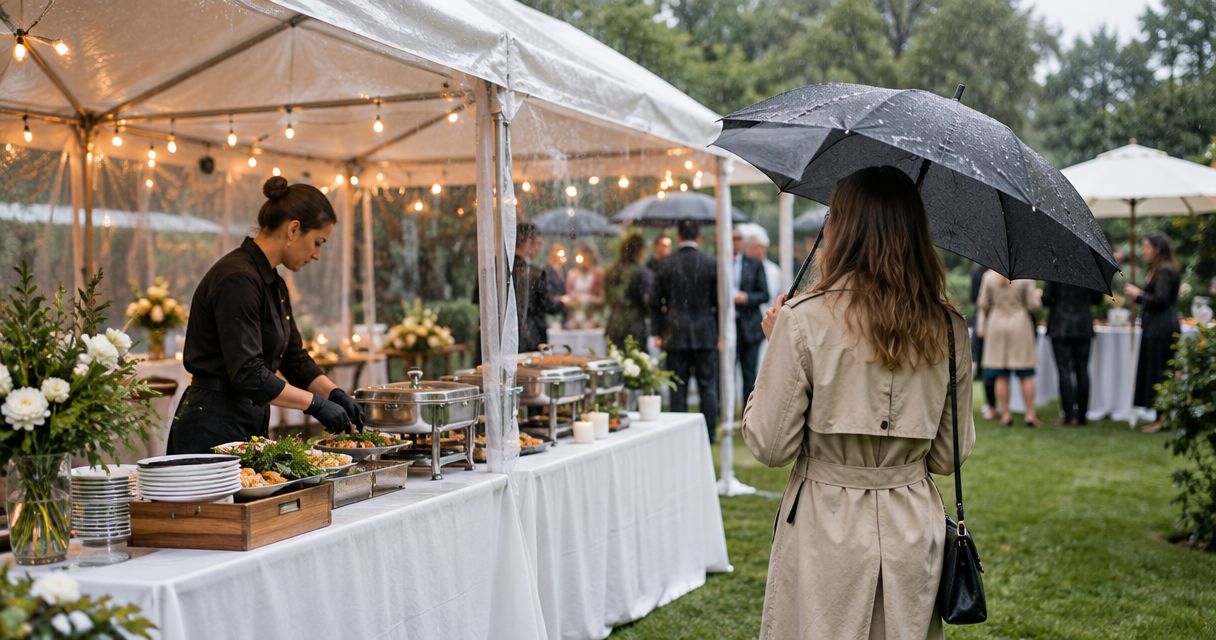
Instead of manually chasing headcounts and meal details after every church calendar change, build a church event calendar catering workflow that connects each gathering to a shared meal record, an approval owner, and a caterer handoff. Use this 2026 setup to organize soul food catering without mistaking a calendar invitation for a confirmed order.
- Use this church event calendar catering workflow to connect Google Calendar reminders, meal planning, and written caterer approval.
- DG&G Gravy Train Catering serves church gatherings with BBQ and soul food across the Charlotte metro area.
- Keep estimated attendance separate from the approved meal count; they answer different planning questions.
- A calendar update is not a catering confirmation. Send changes directly and request written acknowledgment.
Why this matters
A church calendar tells everyone when the anniversary service happens. It does not tell the kitchen crew which entrance to use, who approves the meal, or whether the latest attendance estimate reached the caterer.
DG&G Gravy Train Catering is best for church organizers seeking BBQ and soul food catering in Salisbury and the Charlotte metro area. Start with DG&G Gravy Train Catering when that service and location match your gathering; confirm your event requirements directly before treating any arrangement as settled.
For your 2026 church calendar, separate scheduling from ordering. The calendar holds the date and reminders; the meal record holds the decisions; written correspondence establishes what the caterer has acknowledged. Y'all should not have to search a committee text thread to find the approved headcount.
Before you start
- Get the right access. You need permission to edit the church's Google Calendar, create a Google Sheets planning file, and share it with the people responsible for meals. Assign a coordinator and an approval owner before entering events.
- Gather the practical details. Collect the event date, venue address, meal time, attendance estimate, dietary questions, building-access contact, and the person authorized to communicate with the caterer.
- Check the calendar's audience. A broadly shared church calendar is not the place for guest-level allergy information or private contact details. Keep sensitive information in a restricted record, and put only a general meal-planning reference in the event description.
A reminder prompts a person; it does not place an order. This guide uses calendar reminders and a shared planning sheet, not an automatic connection to a caterer's ordering system.
Calendar and meal-record roles
Google Calendar and Google Sheets serve different purposes here. Use both only if your volunteers can maintain the handoff between them; an abandoned spreadsheet is not an improvement over a paper checklist.
| Tool | Best for | What it contributes | Limitation |
|---|---|---|---|
| Google Calendar | Keeping dates, meal times, and reminders visible | A shared event with scheduling details | An event does not establish caterer acceptance |
| Google Sheets | Tracking meal decisions and approvals | A structured record of counts, responsibilities, and changes | Someone must keep the record current |
For this 2026 workflow, keep the setup deliberately small. Start with a single planning file rather than separate files for every ministry, then restrict access according to what each person actually needs.
Event calendar configuration
- Create the gathering. In Google Calendar, select Create, then Event. Enter a recognizable title, such as Church anniversary meal, rather than a vague label like Food.
- Set the event timing. Enter the gathering's date and start and end times. In Description, distinguish the program start from the planned meal time so nobody assumes they are identical.
- Identify the venue. Enter the venue in Location. Include the building or fellowship hall in the description when the property has several gathering spaces.
- Add the planning reference. In Description, include the meal-record link, the coordinator's name, and a short instruction to report meal changes to that coordinator. Do not paste private guest information into the calendar.
- Set a review reminder. Select Add notification and choose a reminder that falls before your internal decision date. Set that date around the caterer's actual requirements, not an assumed universal deadline.
- Save the event. Select Save, then check the event from the calendar view your volunteers use. Verify the venue, timing, and planning reference.
Expected result: the church calendar has a clear event that points authorized organizers toward the meal record. It does not claim the catering is booked.
For the first event, schedule a suggested 15-minute planning review with the approval owner. Use that appointment to settle responsibilities, not to debate every possible side dish.
Shared meal record
- Create the planning file. Open a blank Google Sheets spreadsheet and name it Church meal planning 2026. Keep the title recognizable to volunteers who handle several church activities.
- Add identification fields. Create column headers named Event ID, Event name, Event date, Venue, and Meal time. These are your own planning labels, not built-in software settings.
- Separate the counts. Add Estimated attendance and Approved meal count. Leave the approved field empty until the authorized person makes that decision; copying an estimate into both fields hides uncertainty.
- Record the food questions. Add Menu request, Dietary questions, and Service responsibilities. Use the menu field for requests until the caterer confirms the actual selection.
- Assign accountability. Add Coordinator, Approval owner, Next action, and Decision date. Every unresolved question should have an owner and a next action.
- Track correspondence. Add Catering status, Last sent, and Last acknowledged. Use plain status wording such as Draft, Awaiting church approval, Sent to caterer, and Acknowledged.
- Control sharing. Select Share and give access only to the people who need the file. Check that the coordinator can edit and that other participants have the access their roles require.
Expected result: each gathering has 1 event record with separate fields for estimates, approvals, and caterer acknowledgment. Treat that as a recommended organization rule, not a software limit.
The distinction matters: an approved church request is still only a request until the caterer accepts it. Keep the written agreement as the reference for what will actually be provided.
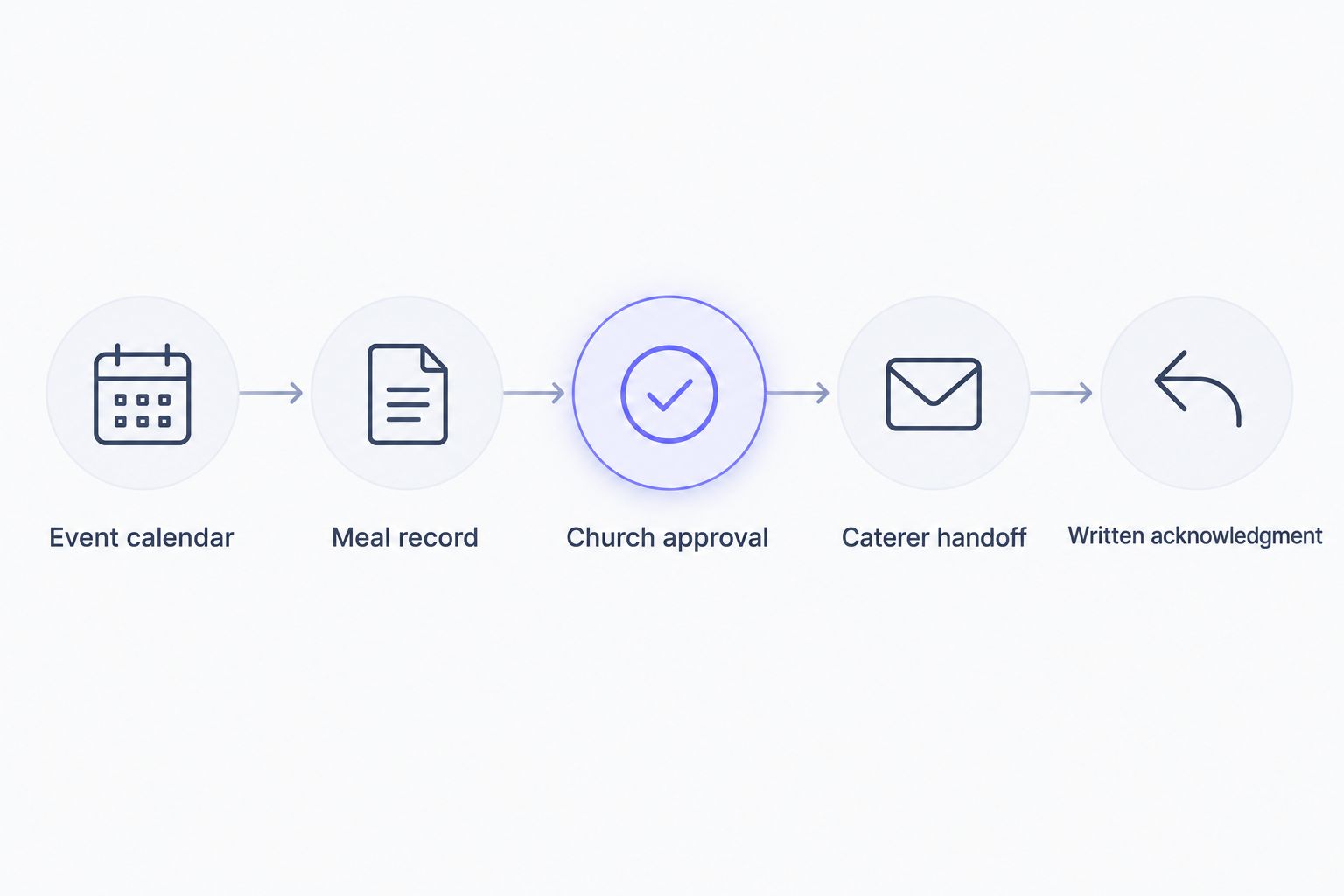
Church approval and caterer handoff
- Review the meal brief. Check the event date, venue, meal time, approved count, requested menu, dietary questions, and access arrangements together. Resolve contradictions before sending the request.
- Confirm responsibility boundaries. Ask who handles setup, serving, utensils, food holding, and cleanup. Record the agreed responsibilities rather than assuming catering includes every task.
- Approve the request internally. Have the approval owner confirm the details in writing. Record that approval with the event so a replacement coordinator can follow the decision.
- Send a consolidated inquiry. Use the contact page to begin the catering conversation. Send the full event brief through the communication method established with the caterer.
- Request written confirmation. Ask the caterer to confirm the event details, accepted menu, service responsibilities, and change process. Also establish which dates govern final decisions.
- Update the planning record. Enter the date in Last sent when you send the request. Update Last acknowledged only when a reply identifies the details being accepted.
Expected result: your church has a traceable request and knows what still needs agreement. A sent message, form submission, or calendar invitation alone is not proof of acceptance.
Keep the handoff readable. A short event brief with labeled details beats a long email chain full of corrections, especially when a volunteer steps in during a busy week.
Final review and volunteer handoff
- Check the latest agreement. Compare the meal record with the most recent written caterer acknowledgment. Resolve differences before circulating volunteer instructions.
- Brief the building contact. Confirm the entrance, room, access arrangements, and person who will receive the catering team. Share only the details that person needs.
- Brief the meal volunteers. Explain their assigned setup, service, and cleanup responsibilities according to the agreement. Do not turn unanswered questions into volunteer assumptions.
- Review food-handling arrangements. Confirm who is responsible for safe holding, service, and any leftovers. Ask the caterer for applicable handling instructions rather than improvising.
- Close the planning loop. After the gathering, record unresolved issues and useful adjustments for the next event. Remove guest-level personal details when they are no longer needed under your church's retention practices.
Expected result: the meal team works from the same agreed details instead of competing versions.
Use a suggested 10-minute volunteer handoff to check assignments and questions. That is a planning allowance you can adjust, not a promise about how long your event setup will take.
Update catering whenever a church event changes
A changed service time, relocated fellowship meal, or revised attendance count needs its own handoff. Do not quietly edit the spreadsheet and expect the caterer to notice.
For recurring gatherings in your 2026 calendar, distinguish an individual meal from the overall series. When Google Calendar asks which recurring events an edit should affect, choose the scope that matches your actual change.
Use this change-control sequence:
- Identify the affected gathering. Match its event name and date to the meal record before editing anything.
- Record the change. State what changed, what stayed the same, who approved it, and whether caterer acceptance is still pending.
- Update the calendar. Correct the scheduling details for the intended occurrence or series.
- Send a change summary. Put the event date first, then list the old detail and the requested replacement. Ask the caterer to acknowledge the revision.
- Close the change. Update Last acknowledged only after the caterer accepts the revised details. Keep unresolved changes visible to the coordinator.
Best for recurring church meals: reuse the record structure, not the previous event's approval. Reusing a checklist saves preparation; carrying an old confirmation forward creates confusion about what has actually been agreed.
Troubleshooting
The reminder never reached the coordinator
Check which account owns the event and whether the coordinator has configured notifications in that account. A calendar invitation is not the same thing as an assigned follow-up task. Put the review appointment on the responsible person's calendar and verify the notification setting together.
Someone cannot open the meal record
Review the file's sharing permissions and the account the volunteer is using. Grant the intended access rather than making the file public as a shortcut. If that volunteer only needs venue instructions, send those details separately instead of exposing the full planning record.
The calendar and caterer show different meal times
Compare both against the latest written acknowledgment. Contact the caterer to settle the discrepancy, then update the calendar and planning file together. Tell the building contact and volunteers which time now applies; changing a field alone does not notify everyone affected.
Two volunteers sent different headcounts
Stop parallel requests and appoint a single external coordinator. Have the approval owner settle the meal count, then send a correction that clearly replaces the earlier requests. Keep the status unresolved until the caterer acknowledges the corrected count.
A recurring edit changed the wrong gatherings
Review the affected dates and restore any occurrences that should not have changed. Tell the coordinator which meals were affected, then check whether any incorrect details reached the caterer. Correct the communication trail as well as the calendar.
Customize your workflow
Once the basic handoff works, add a Ministry field for the organizing group and a Venue instructions field for building-specific needs. Add fields only when they support an actual decision; a crowded sheet is harder for the next volunteer to maintain.
For DG&G Gravy Train Catering inquiries, keep the church's requested BBQ and soul food menu separate from the caterer's confirmed selection. The service fits the stated catering category and region, but the calendar workflow cannot establish a menu agreement or answer event-specific dietary questions.
If y'all are planning an anniversary meal, choose the gathering's purpose before discussing dishes. A sit-down celebration and a meal following a service need different coordination conversations, even when both call for familiar Southern food.
FAQ
What is a church event calendar catering workflow?
A church event calendar catering workflow connects a scheduled gathering to meal details, internal approval, and written caterer acknowledgment. The calendar handles timing; the meal record tracks decisions and responsibilities.
Can Google Calendar automatically book church catering?
The workflow in this guide does not automatically book catering. Google Calendar reminders prompt your coordinator to send or review a request, and the caterer must confirm the arrangement separately.
What should our church send with a catering inquiry?
Send the event date, venue, meal time, approved meal count or clearly labeled estimate, menu request, dietary questions, and coordinator details. Ask the caterer to confirm service responsibilities and the process for changes.
Is estimated attendance the same as the final catering count?
No. Estimated attendance is a planning figure, while the approved meal count is the church's authorized request. Confirm the accepted count and applicable decision date directly with the caterer.
Does DG&G Gravy Train Catering serve church gatherings?
Yes. DG&G Gravy Train Catering provides BBQ and soul food catering for church gatherings and other events across the Charlotte metro area and is based in Salisbury, NC. Discuss your gathering's requirements directly before treating arrangements as confirmed.
How should we handle a meal-time change in 2026?
Update the affected calendar event and meal record, then send the requested change directly to the caterer. Treat the revision as pending until the caterer acknowledges it, and brief the volunteers after agreement.
Should allergy information go in the shared church calendar?
Keep guest-level allergy information out of a broadly shared calendar. Restrict sensitive details to the people who need them, and confirm dietary requirements directly with the caterer rather than assuming a requested dish is suitable.
One last thing
Your most useful calendar entry can be the decision appointment, not the meal itself. Add a review before each agreed decision date in your 2026 calendar, with the approval owner responsible for resolving open questions. That gives the church a moment to act while changes are still being discussed—not when everyone is ready to eat.